How to Give Your OpenClaw Agents Real Memory (Not Just a Context Window)
A practical, production-tested memory architecture for OpenClaw agents, using Markdown files and a three-tier design so your agents stop forgetting important decisions.
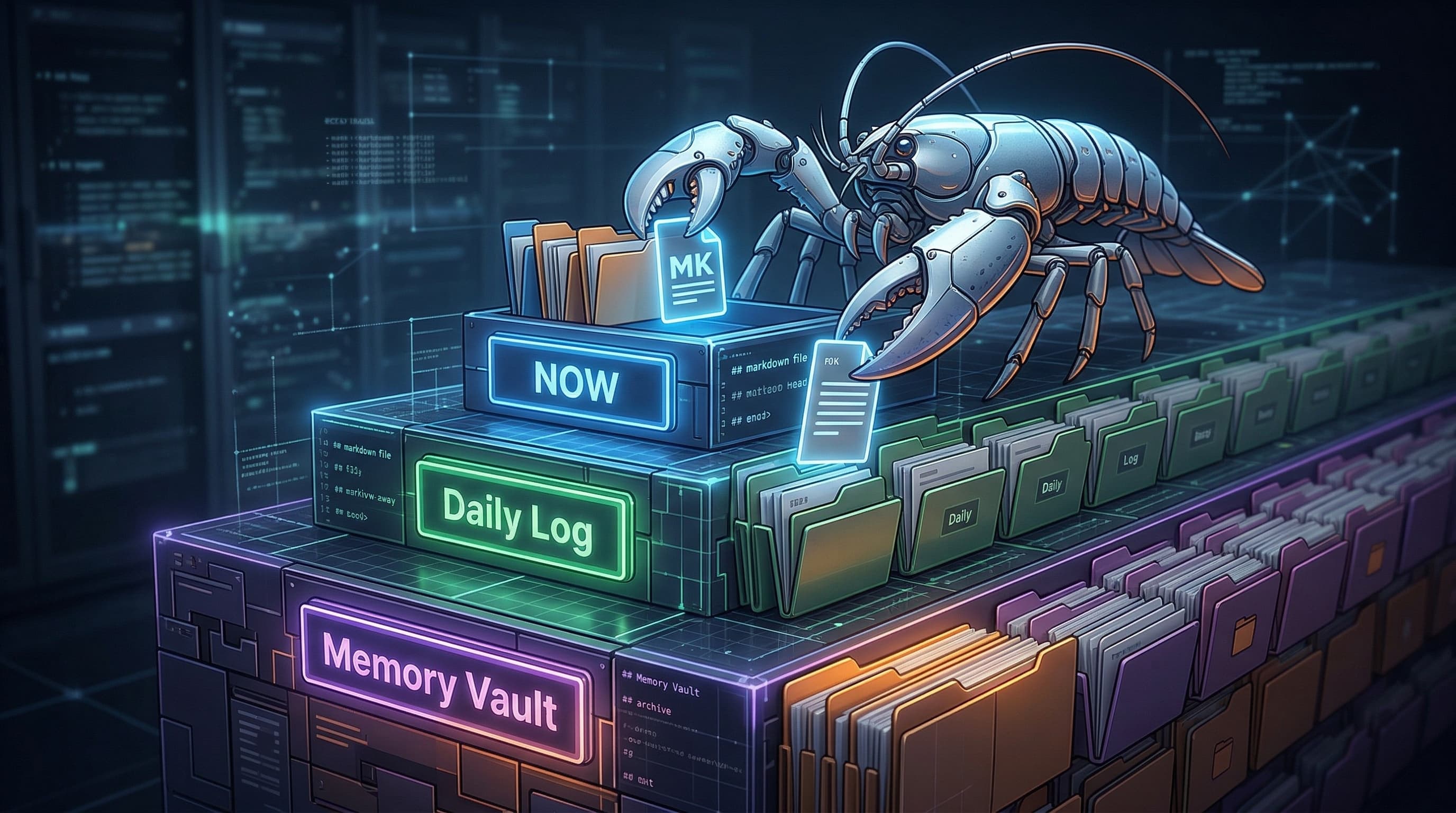
If you’ve run an OpenClaw agent for more than a few days, you’ve probably hit the same wall:
- The agent sounds smart in-session.
- Come back tomorrow and it has no idea what you agreed on yesterday.
- Important decisions vanish after a long conversation.
- Different channels (Telegram, Discord, etc.) each live in their own bubble.
The root cause:
The context window is not memory.
In this post we’ll walk through a practical memory architecture for OpenClaw, based on 30+ days of running a 5‑agent collaboration setup in production:
- Why context windows betray you
- Why we treat files as the only real “memory”
- A three‑tier architecture (short / mid / long‑term)
- Directory layout + frontmatter you can copy
- How to write safely (CRUD validation) and forget on purpose
You can almost literally paste this structure into your own workspace.
1. Context window ≠ memory
Every LLM agent shares the same weakness: its context window is a temporary work area, not a durable memory.
- Long conversations get compacted.
- Early messages are summarized or dropped.
- When the session ends, everything disappears unless you persisted it.
OpenClaw version of the failure mode:
- Session 1
- You + agent make an important decision A.
- No one writes it to a file.
- After enough tokens, compaction runs → details of A evaporate.
- Session 2
- The agent restarts with a fresh context.
- It has no trace of decision A.
- You re‑discuss or get contradictory behavior.
In real usage this turns into:
- The same suggestions resurfacing across days and channels.
- Telegram, Discord, etc. each being their own isolated “universe”.
- Agents losing their roadmap after a few compactions.
If your “memory system” is just “hope the model remembers,” you don’t have a memory system.
2. Design principle: file = source of truth
We ended up with one rule:
If it isn’t written to a file, it doesn’t exist.
We don’t rely on the model’s “brain”; we rely on the filesystem.
- The context window is the workbench.
- Files are the warehouse.
- The agent’s true state is whatever’s on disk.
That implies:
- All important info (decisions, tasks, incidents, profiles) must be written into files in real time.
- Every time an agent starts, it reads its state from those files.
- We lean on system triggers (cron, heartbeat) to keep memory up to date, not on “maybe the agent will remember to check”.
This plays to OpenClaw’s strengths: agents are very good at reading/writing simple text files. Use that, instead of throwing them straight into an opaque DB.
3. Why Markdown + vectors (not “just a DB”)
We chose Markdown as the primary memory surface, with a vector index as a secondary layer, not the other way around.
3.1 Tradeoffs
| Dimension | Markdown Files | Pure DB-only approach | |----------------------|--------------------------------------------------|---------------------------------| | Interpretability | Human-readable, easy to edit | Needs SQL/tools | | Debugging | “Open the file and look” | Requires queries/API | | Version control | Git works out of the box | Needs extra infra | | Agent read/write | Native in OpenClaw (read/write tools) | Needs glue code | | Retrieval efficiency | Worse, needs indexing | Better |
So our architecture is:
- Markdown = source of truth, human surface
- Vector DB (e.g. QMD) = retrieval accelerator
Write to Markdown; a background job keeps the vector index in sync. Agents query the index for “search memory”, humans open files for “what’s going on?”
4. Three‑tier memory architecture
We split memory by “temperature”:
- Short‑term (hot): what’s happening right now
- Mid‑term (warm): what happened today
- Long‑term (cool): curated, reusable knowledge
4.1 Short‑term: NOW.md — the workbench
Purpose: single‑file status dashboard for the agent.
Properties:
- Overwritten on every heartbeat, not appended.
- Only contains today’s key items and current focus.
- Acts as the “life raft” for compaction:
- When context is wiped/compressed, the agent can rebuild working state from
NOW.md.
Example:
unknown nodeHard rule: NOW.md is the only memory file we allow to be overwritten. Everything else is append-only.
4.2 Mid‑term: daily logs memory/YYYY-MM-DD.md
Purpose: append‑only event stream for each day. This is the raw data of your memory system.
- One file per day:
memory/2026-03-20.md - Format: timestamped headings + short descriptions.
Example:
unknown nodeDesign principles:
- Append-only: never overwrite old entries.
- Different sessions can’t see each other’s context reliably, so important events should be written immediately.
- Use a consistent header format (
### HH:MM — Title) so humans and agents can scan quickly.
4.3 Long‑term: INDEX.md + structured subdirectories
Purpose: this is your Memory Vault — structured, reusable knowledge distilled from the raw daily logs.
We treat:
INDEX.mdas a navigation hub- A set of typed subdirectories (
lessons/,decisions/,people/,projects/, etc.) as the actual knowledge base
Example memory/INDEX.md:
We use:
- Priority:
- 🔴 core (never archive)
- 🟡 important
- ⚪ reference
- Status:
active– safe to truststale/⚠️– hasn’t been verified in >30 days; treat carefully
Agents can read INDEX.md on boot to quickly see what matters and which files to load.
5. Directory layout you can copy
A practical workspace tree:
unknown node5.1 Cold storage design: memory/.archive/
We use QMD as our semantic search engine. QMD’s file scan (via Bun.Glob) hardcodes skipping directories that start with `.`.
That gives you a nice property:
memory/2026-01-15.md→ indexed ✅memory/.archive/2026-01-15.md→ automatically skipped ❌
So archiving is as simple as moving old files into `.archive/`. No config changes, no deletion. They’re still accessible via the filesystem, but invisible to your “normal” semantic search.
6. Knowledge file frontmatter
Files in lessons/, people/, decisions/ carry structured metadata at the top:
This helps both agents and humans:
- Decide what to trust (
status,last_verified). - See what’s core vs outdated (
priority). - Filter by tags when searching.
7. Writing: scripts + CRUD validation
7.1 memlog.sh for daily logs
For daily logs, use a simple append‑only script (call it memlog.sh) that:
- Grabs timestamps from system time (agents shouldn’t invent times).
- Appends new entries to
memory/YYYY-MM-DD.mdin the### HH:MM — Titleformat. - Never overwrites existing content.
This prevents “hallucinated timestamps” and keeps event history trustworthy.
7.2 Read–before–write for knowledge files
For knowledge files (lessons/, people/, decisions/), enforce a CRUD validation rule:
- Read the current file.
- Compare new knowledge vs existing content:
- If existing content already fully covers the new thing → NOOP (do nothing).
- If new info is an update (same fact, newer/better version) → UPDATE:
- Mark old version as
superseded. - Append new version.
- If new info contradicts existing content → CONFLICT:
- Keep both, and add a clear ⚠️ CONFLICT marker.
- If it’s genuinely new → ADD (append).
- Update
last_verifiedin the frontmatter for that file.
Why bother?
To avoid Memory Hallucination (HaluMem) — agents writing duplicate, wrong, or conflicting facts into permanent memory and then trusting them later.
Read–before–write forces the agent to treat memory like a database with constraints, not a diary it can overwrite at whim.
Conflict processing: when a contradiction is found, keep both versions, clearly tag the conflict, and flag the file in INDEX.md for human review. Never silently overwrite.
8. Retrieval: 3‑level strategy
Not all retrievals are equal. Use three levels:
- L1: `INDEX.md` scan
- Zero cost file read.
- Use when you know “what type” of info you want (lesson, decision, project).
- L2: Direct file read
- Zero cost file read.
- Use when you know the exact file (path or link).
- L3: QMD semantic search
- Has latency and cost.
- Use when you don’t know where the knowledge lives.
Rule of thumb: prefer L1/L2, use L3 as fuzzy fallback. This keeps retrieval fast and predictable.
9. Memory lifecycle: write, reflect, archive
A good memory system isn’t just about storage; it’s about lifecycle.
9.1 Daytime: real‑time writing
During the day:
- Agents write into
memory/YYYY-MM-DD.mdandNOW.mdthrough: - User conversations
- Heartbeats (e.g. every 30–60 minutes)
Heartbeats act as patrols:
- Sweep recent activity (logs, channels, tasks).
- Extract important info.
- Route it into files (daily log, actions, projects).
9.2 Nightly reflection (23:45)
Around 23:45 (pick your own time), run a nightly reflection:
- Read:
- Today’s log
NOW.md- Relevant knowledge files
- Write a reflection under
memory/reflections/YYYY-MM-DD.md: - Plan vs reality
- What went right
- What went wrong
- What to change tomorrow
- Clean noise from the daily log (optional light editing).
- Perform CRUD write‑back to the knowledge base:
- Take extracted insights.
- Classify them (lesson? decision? person?).
- Run read–before–write.
- Update
last_verifiedfields.
This is the sleep / consolidation stage of the agent’s memory.
9.3 Weekly cold‑data archiving (Sunday 00:00)
Once a week, run a garbage-collection job:
- Move old, low‑temperature logs and reflections (e.g. >30 days) into
memory/.archive/. - Because the directory starts with
., QMD automatically skips these files when indexing.
Result:
- Hot memory stays fast and relevant.
- Full history remains accessible if you really need to dig.
10. Forgetting and decay
If you only ever append memory, you eventually drown in it.
10.1 Forgetting is a feature
A memory system that only grows will:
- Slow down retrieval.
- Surface outdated info.
- Confuse the agent with conflicting states.
As Ebbinghaus showed, forgetting is not a bug — it’s a feature that keeps retrieval efficient.
10.2 Temperature model
Use a simple temperature score to decide what stays hot:
unknown nodeRough idea:
- Hot (> 0.7):
- Recently created or updated
- Referenced often
- High priority (🔴)
- → Keep in active index.
- Warm (0.3–0.7):
- Still relevant, but older / lower priority
- → Keep, but reduce retrieval weight.
- Cold (≤ 0.3):
- Old, rarely referenced, low priority
- → Move to
.archive/.
You don’t need the exact formula to start. Even a crude heuristic like “logs older than 30 days with no references” is enough.
11. Multi‑agent setup
For multi‑agent systems:
- Each agent gets its own `memory/` directory:
marketing/memory/…infra/memory/…support/memory/…- The Coordinator / Main Agent:
- Reads the sub‑agents’ memory directories.
- Aggregates key events into its own daily logs during heartbeats.
- Cross‑session sharing happens only via disk:
- Agents don’t “telepathically” share context.
- They share by reading and writing the same Markdown files.
This keeps boundaries clear: each agent has a local view, and the main agent is the aggregator.
12. Quick start: minimum viable memory
If you want to get something useful running today, you don’t need the full vault yet. Phase 0 is just 3 files:
NOW.md
- Status board.
- Read at the start of every session.
- Overwritten on each heartbeat.
AGENTS.md
- Operations manual.
- Explains to the agent:
- Where memory lives
- How to write logs
- What
NOW.mdis - Any do/don’t rules (overwrite vs append).
memory/YYYY-MM-DD.md
- Append‑only daily log.
- Use a script like
memlog.shso timestamps come from the system, not the model.
Then, week by week, you can:
- Add
INDEX.md+lessons/if you see recurring patterns. - Add
decisions/once strategy/roadmap needs structure. - Add
.archive/+ decay rules once logs start to pile up.
13. Obsidian integration
Because all of this is just Markdown:
- You can point Obsidian at your
memory/directory and treat it as a vault. - Use:
- Graph view to visualize links between decisions, lessons, and people.
- Backlinks to see which daily events led to which long‑term lessons.
Humans and agents then share the same files, just with different interfaces (Obsidian vs OpenClaw tools).
Do this, and your OpenClaw agents stop acting like amnesiac chatbots and start feeling like persistent collaborators who remember what they learn, update their beliefs, and forget old noise on purpose.