
One PM Workflow Across Jira, Typeform, Notion & Figma, Powered by Clawdi
Product managers at startups juggle many tools. See how Clawdi can help you automate workflows across Jira, Typeform, Notion, and Figma, and save valuable time.
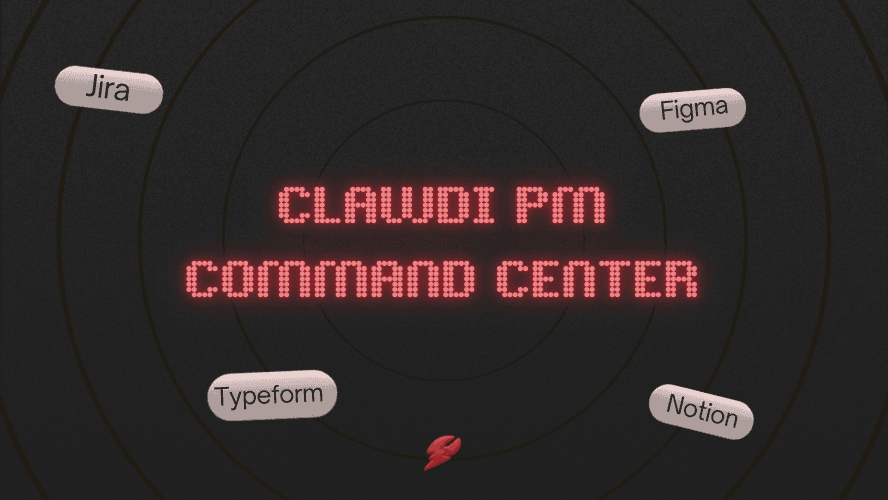
As a product manager at a startup or small team, your day likely involves managing tasks, conducting product research, and collaborating across multiple tools. From managing backlogs in Jira, collecting user feedback via Typeform, documenting product specs in Notion, and designing prototypes in Figma, it’s easy to get overwhelmed by all the switching between platforms.
Clawdi helps you simplify this workflow by bringing all your essential tools into one place. Here’s how Clawdi can save you time, streamline communication, and improve your efficiency:
The Problem Product Managers Face in Startups
Product managers in startups juggle many responsibilities, often across multiple tools. For example, you’re using:
- Jira or Linear for managing tasks and sprints
- Typeform or Airtable for gathering user feedback and research
- Notion or Google Docs for collaborating on documentation and product specs
- Google Analytics or Mixpanel for tracking website and product performance and metrics
- Figma for prototyping and design iterations
But managing these tools individually means wasting time switching between platforms and losing valuable context. The result is confusion, missed tasks, and disconnected workflows.
How Clawdi Can Make Your PM Life Much Easier
Clawdi connects all the tools you use and helps streamline your workflow. Instead of opening and closing apps, you can interact with them from one place. Here’s how Clawdi works with the tools most product managers at startups use:
1. Automate Task Management with Jira or Linear
Managing tasks in Jira or Linear is crucial, but it can also be time-consuming. With Clawdi, you can automate ticket updates by summarizing sprint progress or backlog status, and turn messages into actionable tasks by pulling information from Slack and creating new tasks directly in Jira.
For example, you can ask Clawdi to “Summarize this week’s sprint status in Jira”, and Clawdi will provide an overview of progress, open tasks, and blockers.
2. Simplify User Feedback Collection with Typeform
Typeform is great for gathering user feedback, but it can get buried in your inbox or data management systems. With Clawdi, you can pull user feedback directly from Typeform forms and summarize it, and turn feedback into tasks or follow-ups by directly integrating with your project management tools.
For example, you can ask Clawdi to “Summarize today’s feedback from Typeform”, and Clawdi will deliver insights ready to be acted on.
3. Centralize Collaboration and Documentation in Notion or Google Docs
Notion is a powerful tool for organizing projects, but navigating multiple pages and databases can be time-consuming. You can ask Clawdi to search your Notion workspace and pull relevant pages into a single view, summarize product specs and documents so you can focus on execution instead of hunting for information, and so much more, and Clawdi will gather and organize everything you need in seconds.
4. Accelerate Design Feedback with Figma
Managing design iterations in Figma can be challenging when you have multiple rounds of feedback and different teams involved. Clawdi helps you gather design feedback from Figma, extract action items, and turn them into tasks for your team by sending a message: “Summarize the latest design updates from Figma.” And you’ll get key points for review, making it easier to stay aligned with the design team.
A Day in the Life of a Product Manager Using Clawdi
Here’s how Clawdi fits into a typical day for a product manager at a startup:
- Morning: You check your Jira or Linear board, and Clawdi has already summarized the status of your current sprint and created a list of high-priority tasks.
- Midday: You check your Typeform results from a user survey, and Clawdi has already summarized the key insights and created follow-up actions.
- Afternoon: You’re preparing for the next design review, and Clawdi pulls together feedback from Figma and summarizes updates from Notion to make sure everyone is aligned.
By the end of the day, Clawdi has helped you stay organized across Jira, Typeform, Notion, and Figma, freeing up your time to focus on strategy and execution.
Why This Matters for Product Managers
As a product manager, your time is limited, and the number of tools you use can make staying organized difficult. Clawdi can streamline your workflow across different tools, automate repetitive tasks to free up time for important decisions, and keep your team aligned without the mental overload of switching between apps. By connecting your tools, Clawdi helps you stay focused on what really matters: driving your product forward.
How to Get Started with Clawdi
Getting started with Clawdi is simple. Just head to the Connectors page and link your Jira, Typeform, Notion, and Figma accounts. From there, you can start using Clawdi to streamline your workflows and stay organized across all your tools.
Product managers at startups have a lot on their plates. Clawdi simplifies your workflow by helping you stay organized across Jira, Typeform, Notion, Figma, and other platforms. Spend less time switching between tools and more time making strategic decisions that move your product forward.
🦞 Try Clawdi today for free → https://clawdi.ai/
🦞 Connect with us → Twitter/X & LinkedIn
🦞 Watch tutorial → https://www.youtube.com/watch?v=tCOEnVV8M9o