How Clawdi Helps Small Business Owners Stay Organized Across Tools
As a small business owner, juggling tools like Gmail, Slack, and Notion can be overwhelming. Learn how Clawdi can help you manage everything from one place and stay organized.
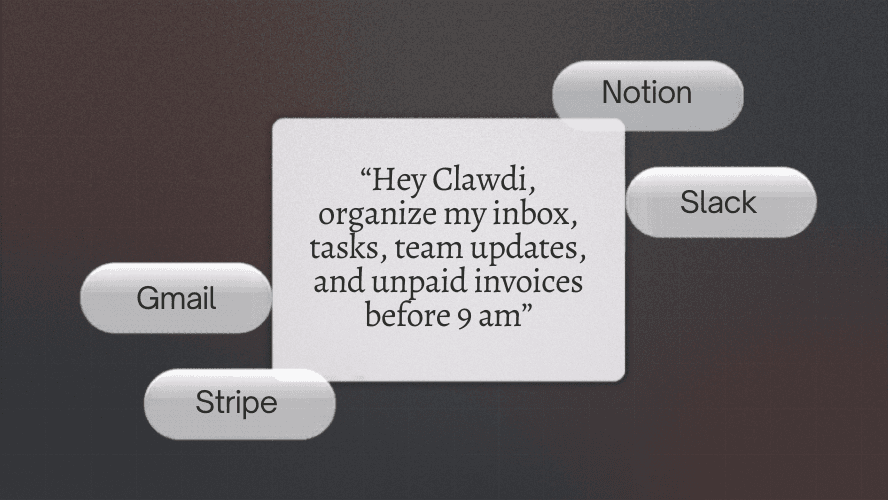
Small business owners wear many hats. From managing client communications and tracking projects to keeping tabs on tasks across email, Slack, Notion, Stripe, and other tools and platforms, the number of things to juggle can quickly overwhelm even the most organized minds. The challenge is beyond keeping track of everything; it’s managing the constant switching between tools, making sure nothing slips through the cracks, and staying on top of follow-ups.
This is where Clawdi can help. Instead of opening multiple apps, managing multiple accounts, and hunting for tasks or important messages across platforms, Clawdi brings all of your work into one place.
The Problem Small Business Owners Face
As a small business owner, you probably use Gmail for client emails, Slack for team communication, Notion for project management, Stripe for invoices and payments, and many other apps for tasks, reminders, or client relationships. Each app brings its own set of strengths, but switching between them all adds unnecessary complexity. The result? Important tasks get lost, context switching increases mental load, and follow-ups and action items get forgotten. This scattered approach creates a workflow that’s hard to maintain, especially when you’re trying to wear multiple hats at once.
How Clawdi Solves the Problem
Clawdi simplifies your day by helping you stay organized across all of your tools. Instead of checking each app separately, you can access your tasks, emails, and messages from one simple interface.
Here’s how Clawdi works with the tools you already use:
1. Summarize Your Gmail Inbox
No more wasting time sifting through your inbox. Clawdi can summarize your emails, highlight the important ones, and even draft responses for you.
Here's an example: You can ask Clawdi to “Summarize today’s emails” or “Find urgent client emails.” Clawdi will pull the important information and give you a quick overview so you can focus on what matters.
2. Manage Slack Messages Efficiently
Slack is a productivity powerhouse, but it’s easy for it to become a firehose of messages. Clawdi can help you summarize key threads, extract action items from team discussions, and turn messages into tasks or follow-ups.
Instead of reading through every message, simply ask Clawdi to “Summarize the last 24 hours of messages in the team channel.” You’ll get a condensed version with key takeaways, and Clawdi can even create a to-do list for you.
3. Organize and Pull Information from Notion
Notion is your go-to for organizing ideas, projects, and workflows, but it can be hard to find what you need in a sea of pages and databases. Clawdi can search your Notion workspace, summarize pages and documents, and pull related information into a single view.
You can ask Clawdi, “Find all pages related to client onboarding” or “Summarize my product roadmap.” Instead of searching through pages manually, Clawdi will do the heavy lifting and surface the relevant details.
Clawdi in Action: A Day in the Life of a Small Business Owner
Imagine you’re starting your day. Here’s how Clawdi would help you stay organized:
In the morning, you ask Clawdi to summarize your Gmail inbox, giving you a snapshot of what needs immediate attention. You also ask Clawdi to pull together key client emails, so you don’t miss any urgent follow-ups.
Midday, in your team Slack, you’ve got several ongoing discussions. You ask Clawdi to summarize the day’s important messages and extract any action items. Now, instead of hunting through endless Slack threads, you have a clear to-do list.
In the afternoon, you’ve been working on a new product launch, and your Notion workspace is full of ideas and planning documents. You ask Clawdi to pull together all the relevant pages and provide a summary of the progress so far. Now, you can jump straight into planning the next steps without wasting time.
By the end of the day, Clawdi has helped you manage your email, team communication, and project planning, all without you needing to open and close multiple apps. Also, you can ask Clawdi to give you an update on the unpaid payment or today's revenue, and of course, Clawdi can help you settle the payment via your Stripe. You’ve saved hours of work and reduced the mental clutter that comes with switching between tools.
Why This Matters for Small Business Owners
Running a business is chaotic enough without the extra complexity of managing multiple tools. Clawdi helps small business owners like you stay organized by reducing the time spent managing emails, messages, and tasks, helping you quickly find the information you need, when you need it, and automating parts of your workflow, so you can focus on growing your business.
Clawdi is beyond an AI tool. You can think of it as your AI assistant that connects all your work into a single, streamlined experience, helping you stay on top of everything without wasting time.
How to Get Started with Clawdi
Getting started with Clawdi is easy. Simply head to the Connectors page and link your email, Slack, and Notion accounts. From there, you can begin asking Clawdi to handle various tasks for you across your tools.
Small business owners are often juggling multiple responsibilities at once, and managing communication and tasks across several tools can be overwhelming. Clawdi is designed to take that burden off your shoulders by organizing your workflow across Gmail, Slack, Notion, and more, and helping you focus on what really matters.
With Clawdi, you can spend more time working on your business and less time managing the tools you use to run it.
🦞 Try Clawdi today for free → https://clawdi.ai/
🦞 Connect with us → Twitter/X & LinkedIn
🦞 Watch tutorial → https://www.youtube.com/watch?v=tCOEnVV8M9o