
What Is OpenClaw? A Beginner-Friendly Guide to the Personal AI Assistant You Control
Learn what OpenClaw is, how it works, why people use it, and the easiest way to deploy OpenClaw without self-hosting headaches.
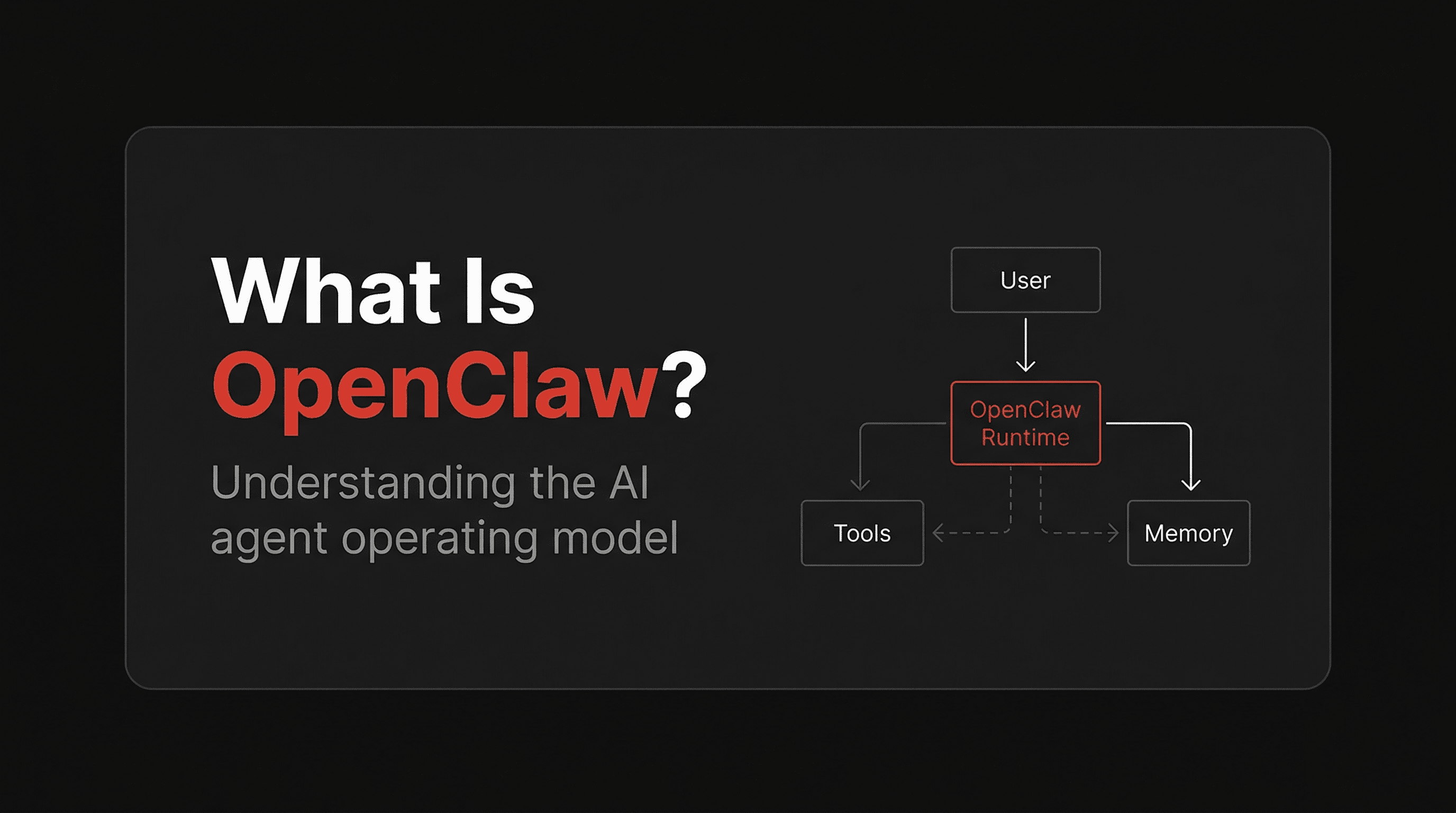
OpenClaw is a personal AI assistant platform you run on your own devices or cloud infrastructure, then access from the messaging apps you already use.
That’s the simplest definition.
The reason people care about OpenClaw is that it is not just another chatbot tab. It can live in Telegram, Slack, Discord, Signal, or other surfaces, remember context across sessions, use tools, read and write files, browse the web, and act more like an always-on operator than a one-off prompt box.
If you want an AI assistant that feels like your assistant, not just a SaaS chat product, OpenClaw is one of the most interesting projects in the space.
In this guide, we’ll cover:
- what OpenClaw is
- how OpenClaw works
- why people use it
- the difference between self-hosting OpenClaw and using a hosted setup
- how to get started fast
What is OpenClaw?
OpenClaw is an open-source personal AI assistant platform built around a simple idea:
your AI assistant should be reachable where you already live, and it should be able to work with your files, tools, memory, and workflows.
Instead of opening a browser tab every time you want to talk to an AI, OpenClaw can sit behind your messaging channels and behave more like a persistent agent.
That means you can do things like:
- message your assistant in Telegram
- ask it to search the web
- have it organize files in a workspace
- let it maintain memory across sessions
- run tools and automations
- use different model providers depending on the task
In practice, OpenClaw is both:
- a chat-based assistant experience, and
- a local-first control plane for agent workflows.
How OpenClaw works
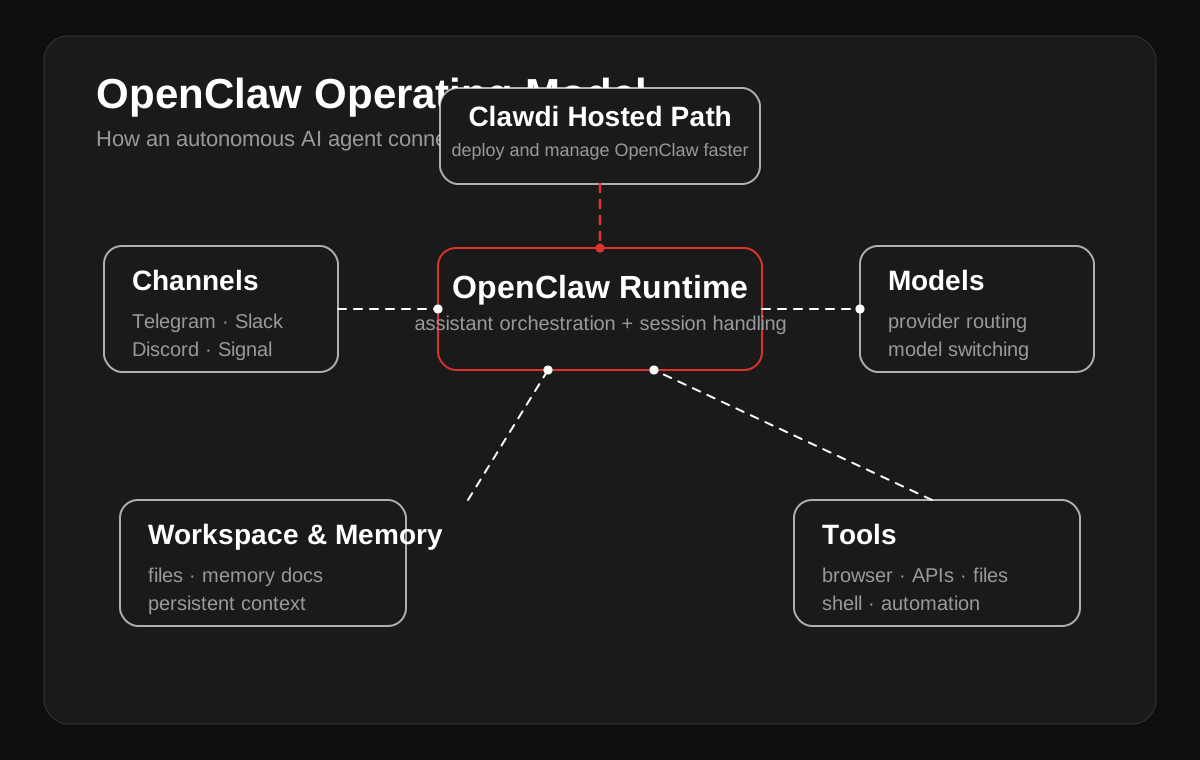
At a high level, OpenClaw has a few major pieces:
1. The assistant runtime
This is the part that receives messages, runs prompts, calls tools, and keeps sessions alive.
2. Channels
OpenClaw can connect to messaging surfaces like Telegram, Slack, Discord, Signal, and others, so you interact with your assistant where you already chat.
3. Workspace and memory
It uses files and memory documents to keep context, store notes, and preserve continuity between sessions.
4. Tools
OpenClaw can search the web, browse pages, read and edit files, run shell commands, and use many app-specific integrations.
5. Model flexibility
You are not locked into one LLM. OpenClaw can route across providers and models depending on what you configure.
That combination is what makes it feel more operational than a normal chatbot.
Why people use OpenClaw
People usually get interested in OpenClaw for one of five reasons.
1. They want an assistant inside Telegram or Slack
This is one of the biggest shifts. When the assistant lives in your messenger, it feels available in a much more natural way.
2. They want continuity
OpenClaw is designed around persistent sessions, workspace files, and memory, so it can carry context from earlier work instead of starting cold every time.
3. They want tool use
It is not just for chatting. OpenClaw can browse, edit, search, inspect, summarize, automate, and help with real workflows.
4. They want control
Unlike many hosted AI products, OpenClaw is attractive to people who want to control their workspace, model routing, integrations, and system behavior.
5. They want something that feels more personal
The assistant can be shaped with identity, memory, workspace rules, and domain-specific skills.
Common OpenClaw use cases
OpenClaw is flexible, but a few use cases come up again and again.
Personal executive assistant
Use it as an always-on assistant in Telegram for reminders, summaries, personal notes, travel, scheduling, and task triage.
Founder or operator assistant
Use it to monitor inboxes, summarize activity, track projects, draft content, review metrics, and keep up with open loops.
Research assistant
Use it to search the web, gather sources, summarize findings, and keep working context in the same workspace.
Business monitoring
Use it to watch channels, read docs, scan conversations, or surface important changes.
Agent workflow hub
Use it as the interface for tools, scripts, integrations, and multi-step workflows.
Is OpenClaw self-hosted?
Usually, yes.
OpenClaw is most naturally described as a self-hostable personal assistant platform. That is part of why technical users like it.
But self-hosting has tradeoffs.
You may need to handle:
- installation
- model/provider configuration
- messaging bot setup
- workspace and memory files
- upgrades
- always-on uptime
- deployment debugging
- runtime issues when your laptop sleeps or your network drops
If you enjoy that control, self-hosting is a feature.
If you mainly want the outcome, it can become friction fast.
Self-hosted OpenClaw vs hosted OpenClaw
This is where most people end up making a real decision.
Self-hosted OpenClaw is best if:
- you want maximum control
- you are comfortable with infra and config
- you want to run it fully locally
- you do not mind fixing issues yourself
Hosted OpenClaw is best if:
- you want to get started faster
- you want an always-on setup without babysitting it
- you want a dashboard and simpler deployment flow
- you want less setup drag between “this looks cool” and “this is running”
For a lot of users, the blocker is not interest. It is activation friction.
They like OpenClaw. They just do not want to spend the next two hours wiring everything manually.
The easiest way to deploy OpenClaw
If your goal is simply to use OpenClaw, a hosted deployment path is often the fastest route.
That is the role Clawdi is aiming to fill.
Clawdi is built around deploying and managing OpenClaw in the cloud, so users can:
- create an account
- choose a plan
- deploy quickly
- connect channels like Telegram
- manage the instance from a dashboard
- avoid most of the setup burden of pure DIY hosting
In other words:
OpenClaw is the platform. Clawdi is the easiest path to getting it live.
Why Clawdi makes sense for OpenClaw users
If you already know you want OpenClaw, you usually care about one of these outcomes:
- get it running quickly
- keep it running reliably
- connect it to real messaging channels
- avoid config mistakes
- avoid spending your weekend debugging deployment issues
That is why hosted OpenClaw is a strong wedge.
It does not replace OpenClaw’s value. It removes a big chunk of the friction between curiosity and daily use.
Who should use OpenClaw?
OpenClaw is a strong fit if you are:
- a technical user who wants a real assistant, not just a chatbot
- a founder or operator who wants an AI assistant in Telegram
- a researcher, builder, or hacker who likes flexible tooling
- someone who wants more control over assistant behavior, memory, and workflows
If you want something generic, polished, and closed, there are easier consumer AI apps.
If you want something more powerful and more personal, OpenClaw gets a lot more interesting.
Final takeaway
OpenClaw is an open-source personal AI assistant platform designed to live in your messaging channels, use tools, remember context, and work more like an operator than a single prompt box.
That is why it is compelling.
The catch is that self-hosting still creates friction for many users.
If you want the power of OpenClaw without the usual deployment hassle, Clawdi is the obvious next step to look at.
Want OpenClaw without the setup friction?
If you want to skip the self-hosting drag and get an always-on assistant live faster, try Clawdi — the hosted way to deploy and manage OpenClaw.